Example for choosing to

You can create new Operation::
- Instructions checks provide specific instructions for how to complete the quality check.
- Take a Picture checks require a picture of the product be uploaded for later review by the assigned quality team.
- Register Production checks prompt manufacturing employees to confirm the quantity of the product that was produced during the manufacturing operation.
- Pass - Fail checks specify a criterion that products must meet for the check to pass.
- Measure checks prompt employees to record a measurement of the product that must be within a tolerance of a norm value for the check to pass.
- Worksheet checks provide an interactive worksheet that must be filled out by the employee processing the check.
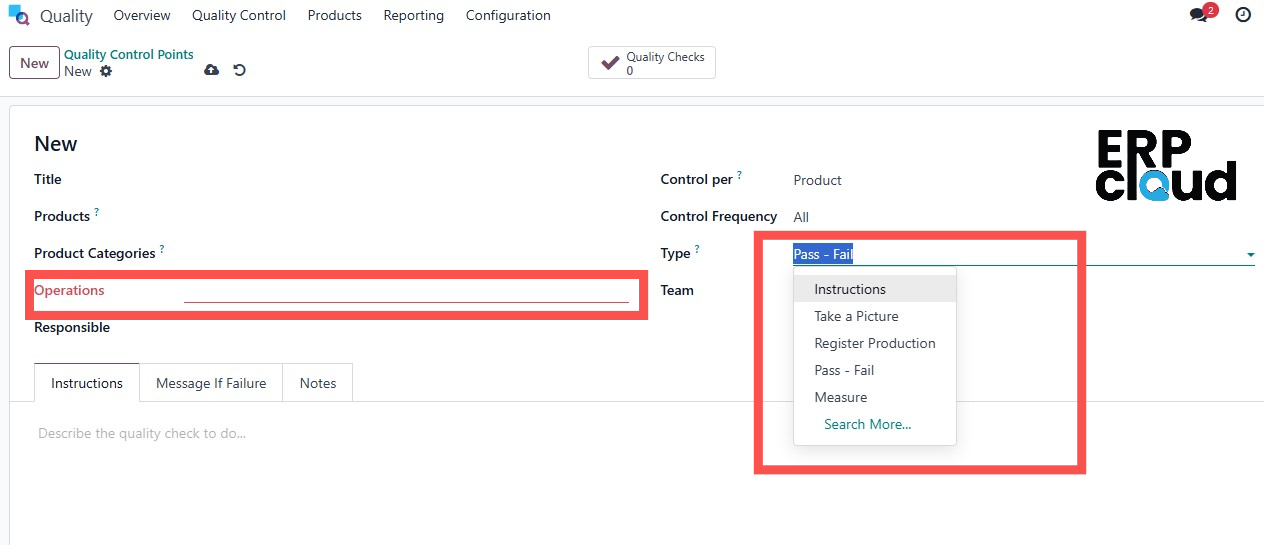 In the Type field, specify the type of quality check that should be performed.
- Operation: one check is requested for the specified operation, as a whole.
- Product: one check is requested for each unique product included in the specified operation.
- Quantity: a check is requested for a certain percentage of items within the specified operation.
The Control Per field is set to one of three options that determine when a new quality check is created:
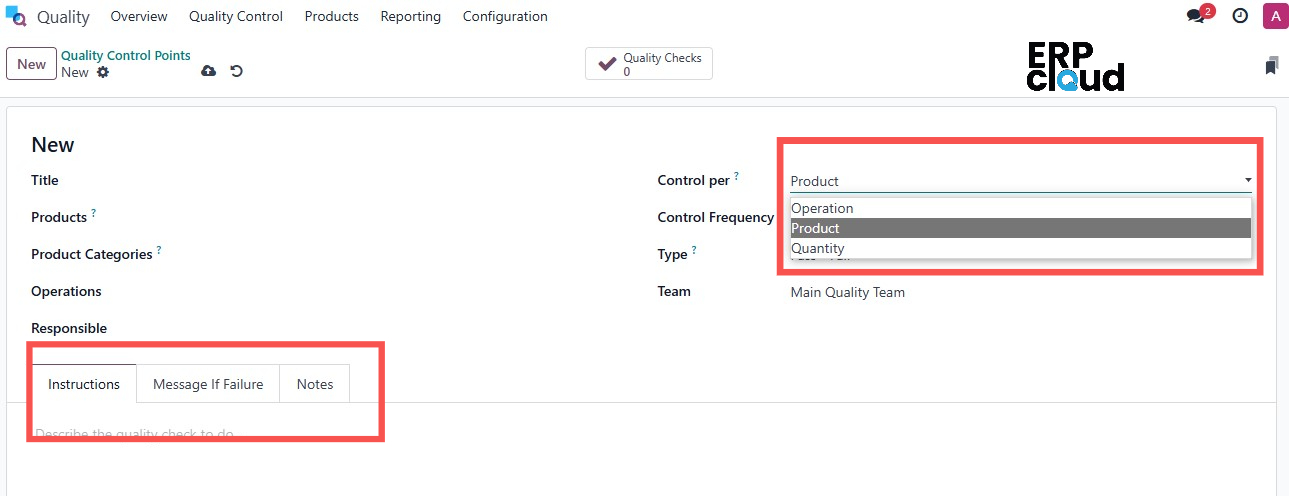
Quality checks are initiated at the product level. When a specific quantity of a product is registered, a quality check is required for each unit unless partial quality checks are enabled.
If we choose an operation, then the quality check is requested at the operation level.
Additional notes added in the Notes tab.
If the quality check fails, a message can be shown.
The instructions about the quality check can be added inside the Instructions tab.
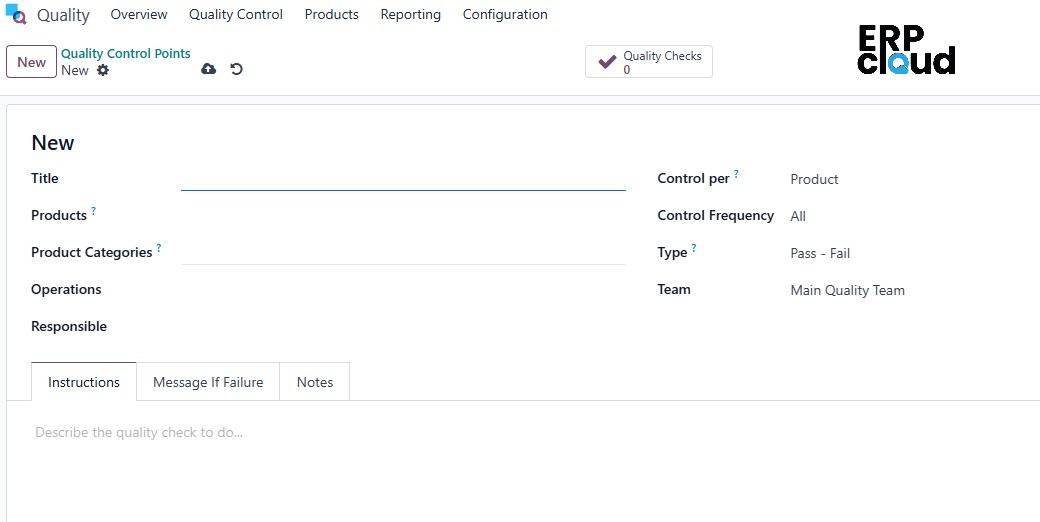
Add the company name, quality team, responsible person, etc
Add a title, products, product categories, and operations is possible for the quality control point.
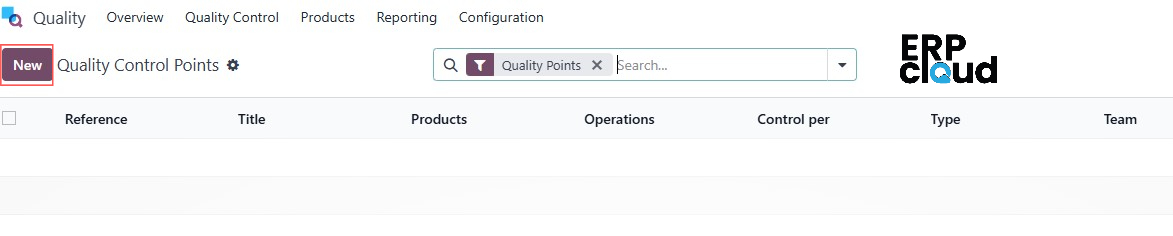
To create a new QCP, navigate to Quality > Quality Control > Control Points, and then click New.
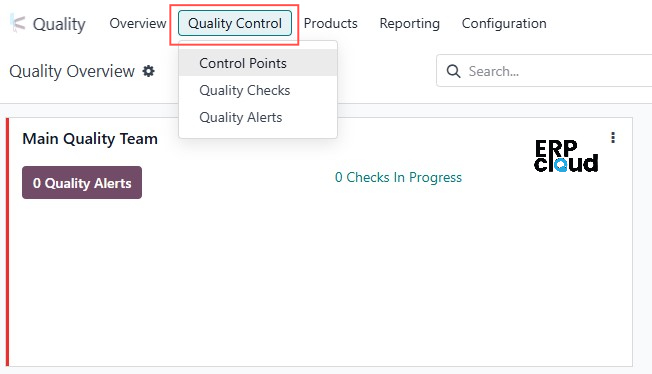
Quality Control Points: can be configured to create quality checks for specific operations (manufacturing, delivery, etc.), as well as specific products within those operations.
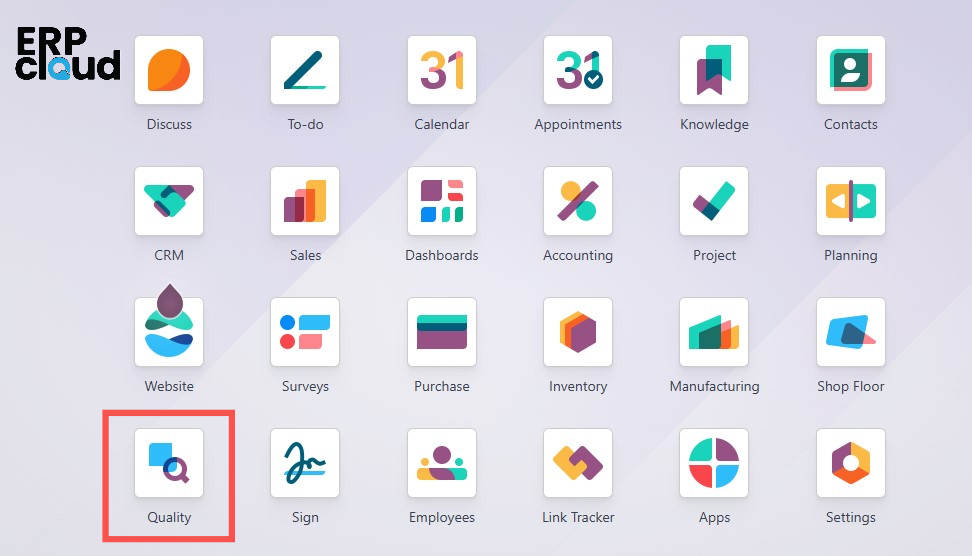
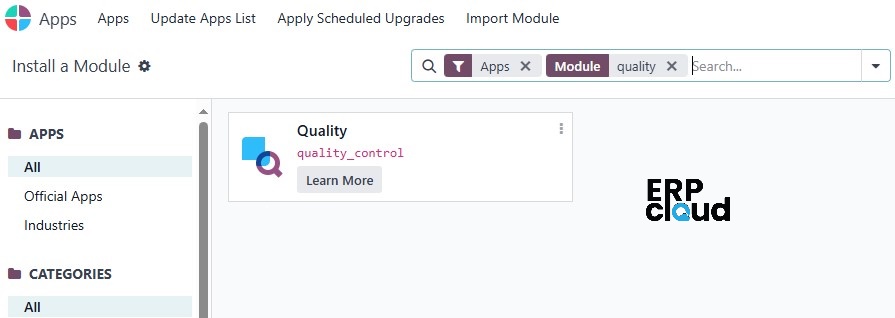
Users can install "Quality Module" from Apps.

In today's competitive market, customers demand perfection, and any compromise can lead to significant losses. So there is Odoo's Quality Module ,designed to be a cornerstone of efficient operations, this powerful tool empowers businesses to uphold stringent quality standards throughout the entire production process.